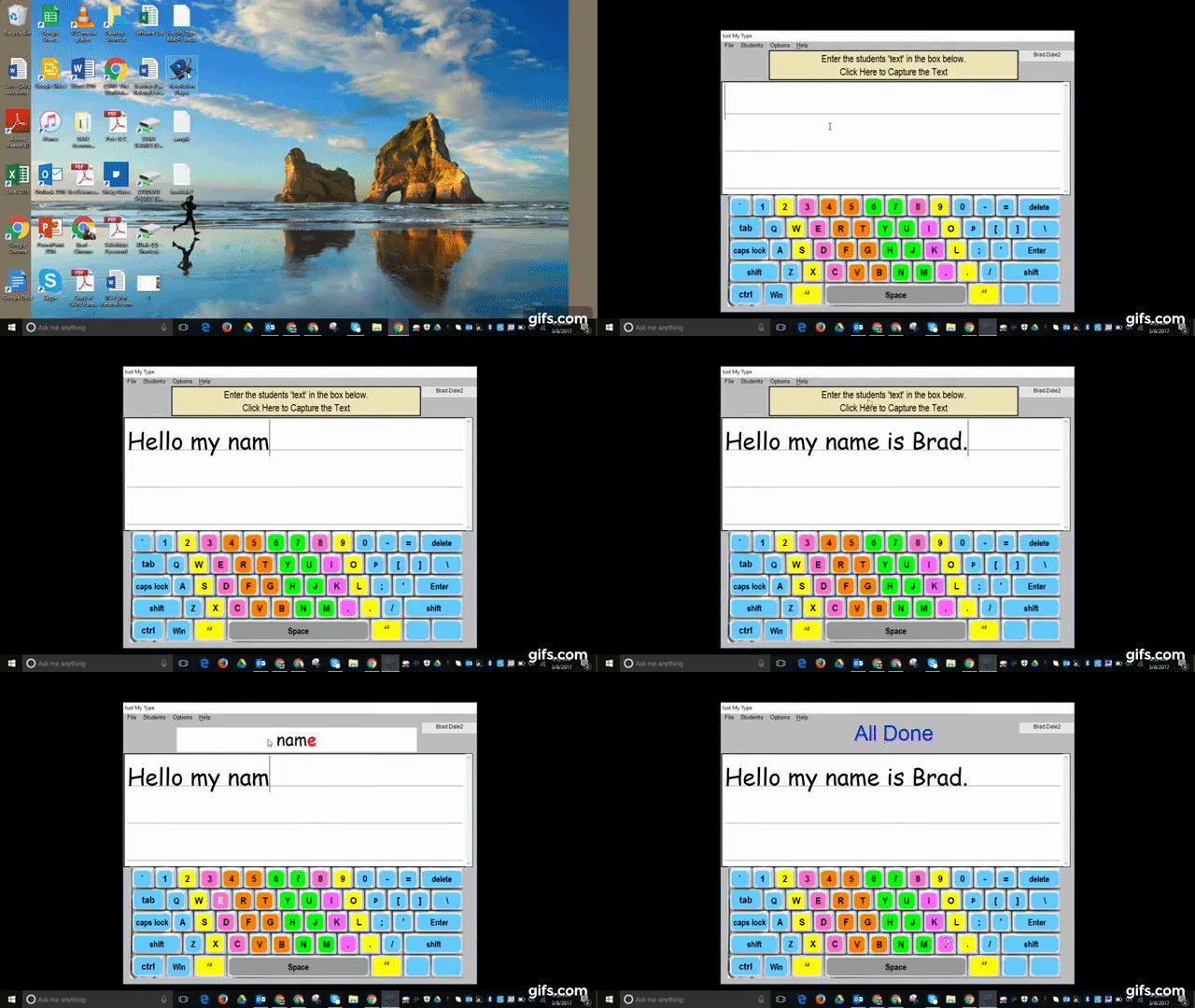
If you would like to have access to a free piece of technology that can capture what is typed and then make it available to another user to see how to type correctly and then say it aloud - try Just My Type.
The directions for how to download the software is available by clicking here.
Below you will see a GIF of what the site can do followed by an embedded 1 minute and 58 second YouTube tutorial.
If you need to know the weather in a certain city instantly, simply type in weather and then the city.
The example below is when I typed in weather Chicago (pretty warm for a day in early March in Chicago).
Embedded below is a 23 second YouTube video showing you how it looks.
** Education connection **
Students learning about different areas throughout the world can simply and easily find this information. Graphs could be made, trends could be studied, etc.
If you are having a tough time keeping up with what special "day" it is, you can now rest easy. All you need to do is access Daysoftheyear.com - you can follow them on Facebook and Twitter as well. As for my family - we will happily be celebrating national meatball day today!
Take a look at the embedded 29 second YouTube video below.
It seems like everyone has that friend who knows the best restaurants in certain cities, well now it is your turn to be that person . All you need to do is Google restaurants in a certain city. You can even search by Rating, Cuisine, Price, and Hours.The example below is when I Googled restaurants in Philadelphia.
Embedded below is a 23 second YouTube video showing what it looks like.
Khan Academy provides users with amazing content at your fingertips. Whether you have a kindergarten aged child and you want them to learn on their level, a high-schooler who is learning calculus, or you yourself want to learn computer programming, it is all there for you!
I have signed up my 7 and 4 year old to the site and they honestly like going everyday. While you do not need to create a username and password to access the information on the site, you would need it to save your progress. The site is fully COPPA compliant as well.
** If you are a teacher you can create a class and add students through Google Classroom - so easy to set up! **
Embedded below are 2 videos. The first one is how to sign up as a parent and I walk you through the site.
If you can not recall (or want to prove to your buddy that you are correct) the scores between teams this year, simply use Google and type in Team vs Team. This will also show you the remaining date(s) of future games.
The example below shows the 76ers vs the Knicks this year followed by a 21 second embedded YouTube video.
The other day a teacher asked me if there was a simple way to print out a document in another language for the family of one of her students. She was so excited at how easy it was to create in a Google Doc.
Embedded below is a 41 second YouTube video on how this can be done followed by step-by-step directions.
Select - Tools
Select - Translate Document
Since this document will be created as a new document - you will be prompted to name the new document and select the language to translate it to.
There you have it!
The reverse is true as well. If you receive an e-mail or a document - simply copy the text in a Google Doc and then translate it to English.
If you have a little one at school or at home and they want to know what a certain animal sounds like (example lion) - use Google and type in, "What does the lion say?"
All you need to do is click on the sound icon. A number of other animal sounds will come up as well - just know that is not all that is available. As with anything, not all animal sounds are available, but there are quite a few!
Embedded below is a 37 second YouTube video embedded below.
If you like listening to music or a podcast on your phone, but don't like that it is still playing throughout the night, try these simple steps to have it turn off.
1. Play your music or podcast.
2. Open up your clock app
3. Set your time
4. Click on when timer ends - scroll down to Stop Playing (bottom)
5. Select start and you are good to go.
I am sure you have seen the Google logo be alterated in the past, maybe it was on Valentine's Day or celebrating a famous artist's birthday (Bob Ross).
A Doodle is simply a fun way to celebrate holidays, birthdays, anniversaries, etc. Below the pictures showing a bit of information about Doodles (including how to vote for future Doodles) you will see an embedded 1 minute and 56 second YouTube tutorial.
GeoGuessr drops a player into a random location and challenges them to find out where they are using only visible clues.
As you can see from the screenshots below, players can play as a single player or challenge mode. The best part (I think) is that you can select if you would like the places to be famous, in the United States, European Stadiums, etc.
Below you will see an embedded 1 minute and 3 second YouTube video showing you what the site looks like.
If you would like to play a quick game of tic-tac-toe, simply type it in a Google search and the game is embedded in the search (even works on your phone).
Below you will see an embedded 27 second YouTube video showing you what the game looks like. I actually won when playing in this demo - kind of fun!
If you have ever searched for images in Google you know that not all images are labeled for reuse. A simple trick to find images to use is below (example is searching for baseball images).
1. Search baseball in Google
2. Select images
3. Select tools
4. Select usage rights
5. Check labeled for reuse
Below you will see an embedded GIF followed by a 35 second YouTube video.